· Guides
AI Pattern Scanner in one paragraph
AI Pattern Scanner is a MetaTrader 5 indicator by EA Quantum Lab Technologies that finds classic chart patterns automatically — double and triple tops/bottoms, head & shoulders (and inverse) and wedges — and turns each one into a ready trade plan: entry, stop loss, TP1 and TP2. It then tracks how every setup ended (TP or SL) and shows the state of five timeframes in one dashboard. The AI Pattern Scanner EA is built on the same signal engine and trades those setups for you. The EA runs live on a public RoboForex CopyFX account.
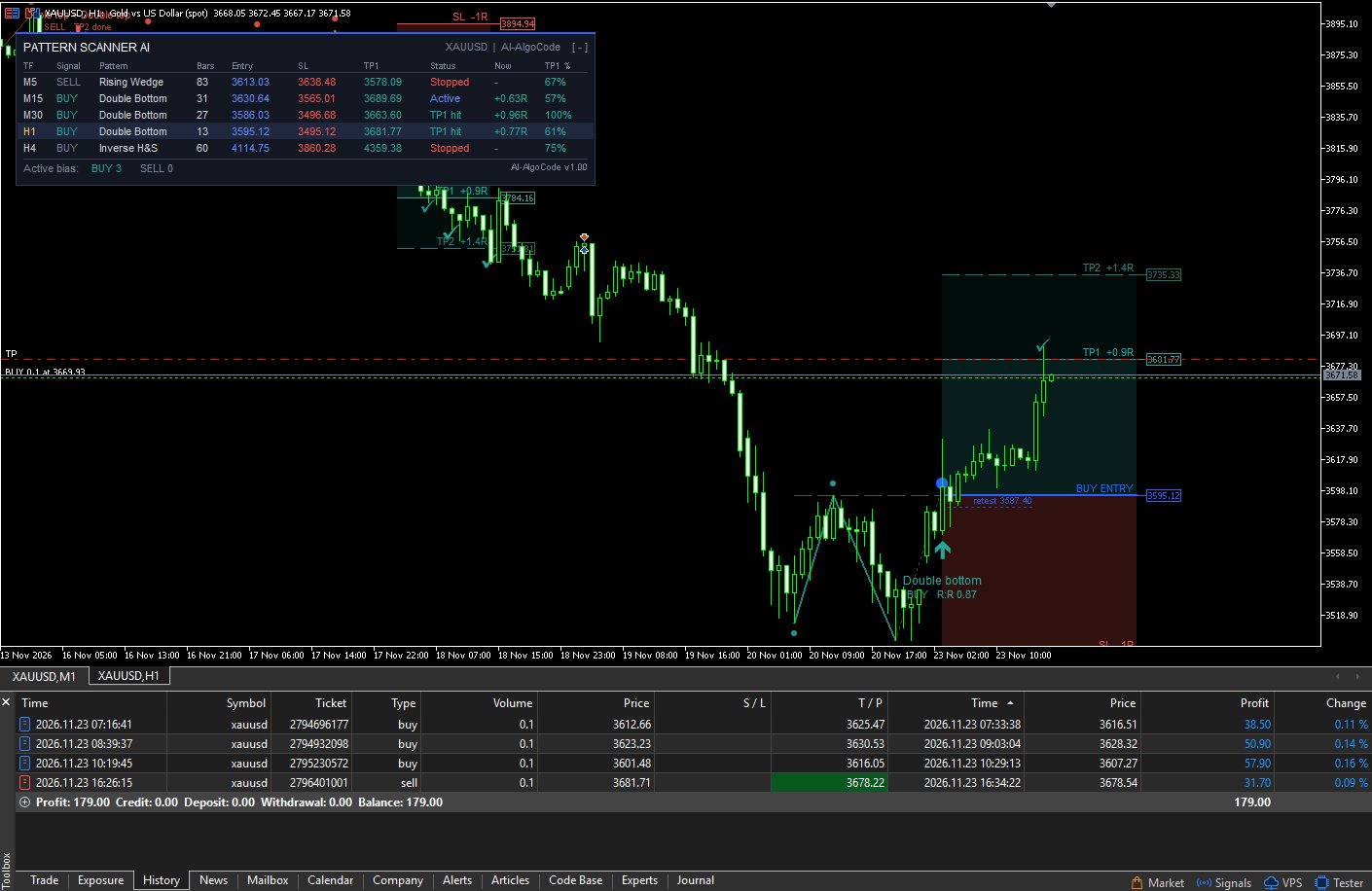
How the indicator finds a pattern
- Pivots. The scanner marks swing highs and lows using a pivot window (5 bars left and 5 bars right by default).
- Level equality. Two or three tops (or bottoms) count as "equal" when they sit within a tolerance measured in ATR (default 1.0 ATR) or in percent.
- Size filters. A pattern must be at least 0.5 ATR tall and between 10 and 200 bars wide, so tiny noise and stretched shapes are skipped.
- Risk/reward check. A setup is shown only if its reward to risk is at least 0.8 (adjustable).
- Cooldown. After a signal the scanner pauses for 10 bars, and patterns fired on the same bar are merged into one label (for example "Triple top + Double top").
From pattern to trade plan
- Breakout entry — the neckline plus a small ATR buffer. By default the candle body must close beyond the level, which filters out wicks.
- Retest entry — an optional second, better-priced level (0.25 ATR back toward the pattern).
- Stop loss — beyond the pattern extreme with a 0.25 ATR buffer.
- TP1 and TP2 — TP1 is the classic measured move; TP2 is the pattern height × 1.618.
- Volume filter — optional: require tick or real volume above its 20-bar average.
On the chart each setup gets its outline through the pivots, shaded risk and reward zones, price tags and an R-multiple next to every level (TP1 +0.9R, TP2 +1.4R, SL −1R). When the trade plays out, the indicator marks the result — "TP1 hit", "TP2 done" or "Stopped".
The multi-timeframe dashboard
The panel lists M5, M15, M30, H1 and H4 at once: last signal (BUY/SELL), pattern name, width in bars, entry, SL, TP1, status (Active, TP1 hit, Stopped), current result in R, and the historical TP1 hit rate for that timeframe. The "Active bias" line sums up how many timeframes currently point up or down. An optional account block shows balance, equity, drawdown, spread and the day range.
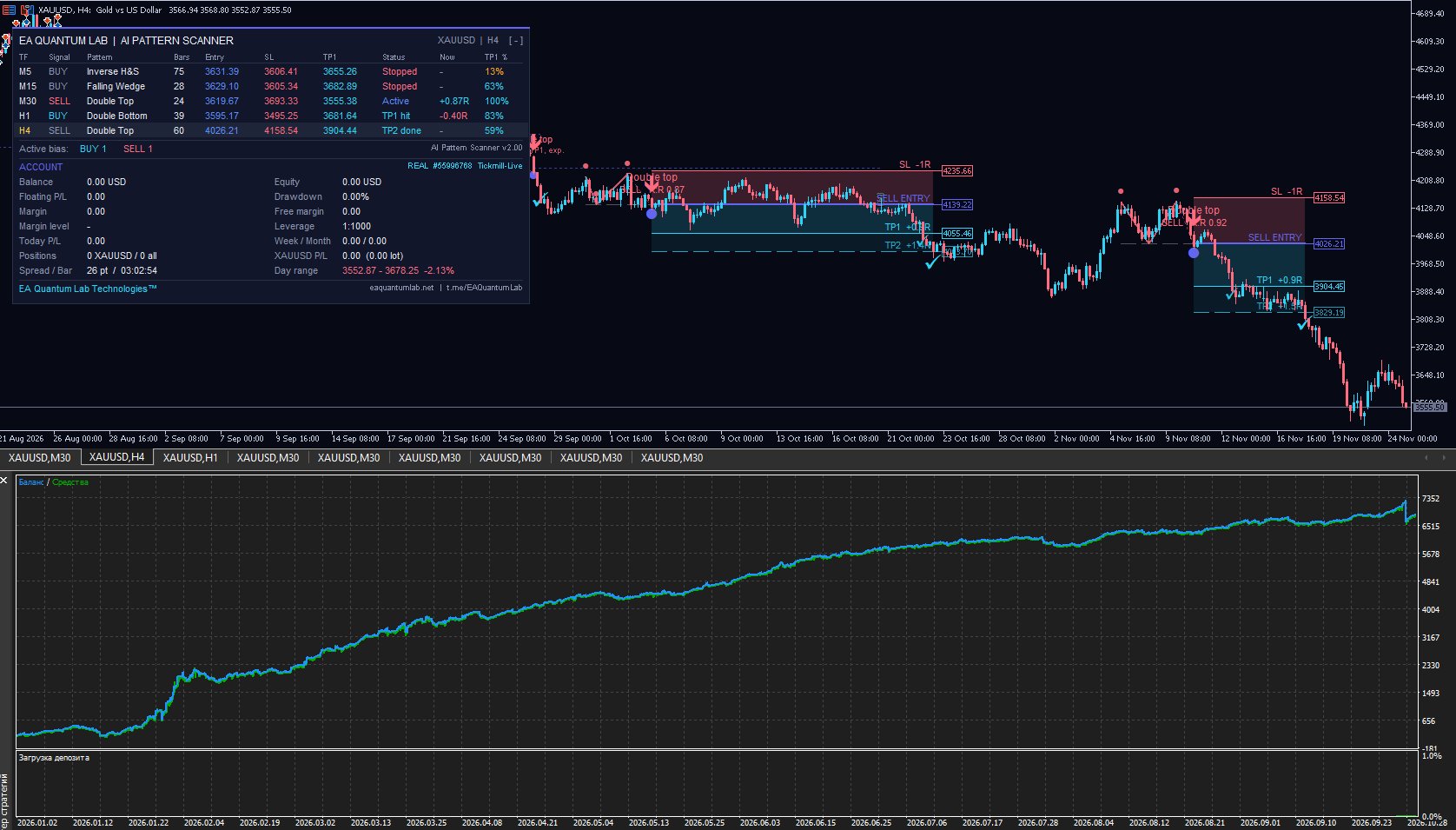
AI Pattern Scanner EA: the robot built on the indicator
The EA uses the same pattern engine and opens trades on new signals. Its own panel adds a trading block on top of the dashboard.
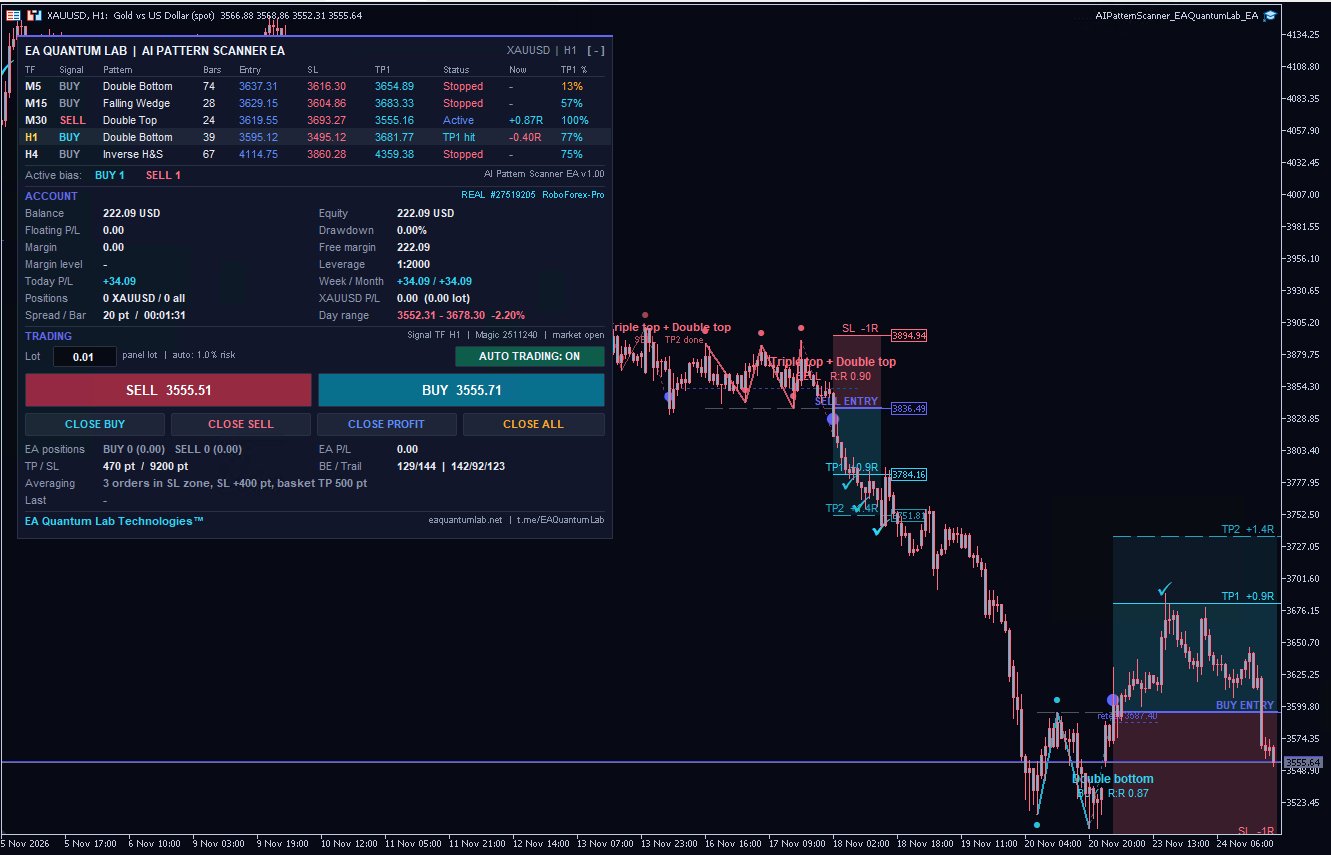
Key settings:
- Auto trading on pattern signals, on the chart timeframe or a chosen signal timeframe; direction Buy, Sell or both.
- Position limits — max positions per direction (1 by default) and an option to close opposite positions when a new signal appears.
- Stop loss from the pattern or fixed in points, plus a filter that skips signals whose pattern stop is too far.
- Take profit in points (500 by default).
- Breakeven after 200 points of profit, locked 20 points beyond entry.
- Trailing stop from 300 points, distance 200, step 50.
- Lot — fixed (0.01 by default) or risk-based, % of balance per trade.
- Filters — max spread and trading hours (server time).
The panel also lets you trade manually: a lot field, SELL / BUY buttons and Close Buy, Close Sell, Close Profit, Close All. Optionally, breakeven, trailing and panel buttons can manage other trades on the same symbol too.
Live results on CopyFX
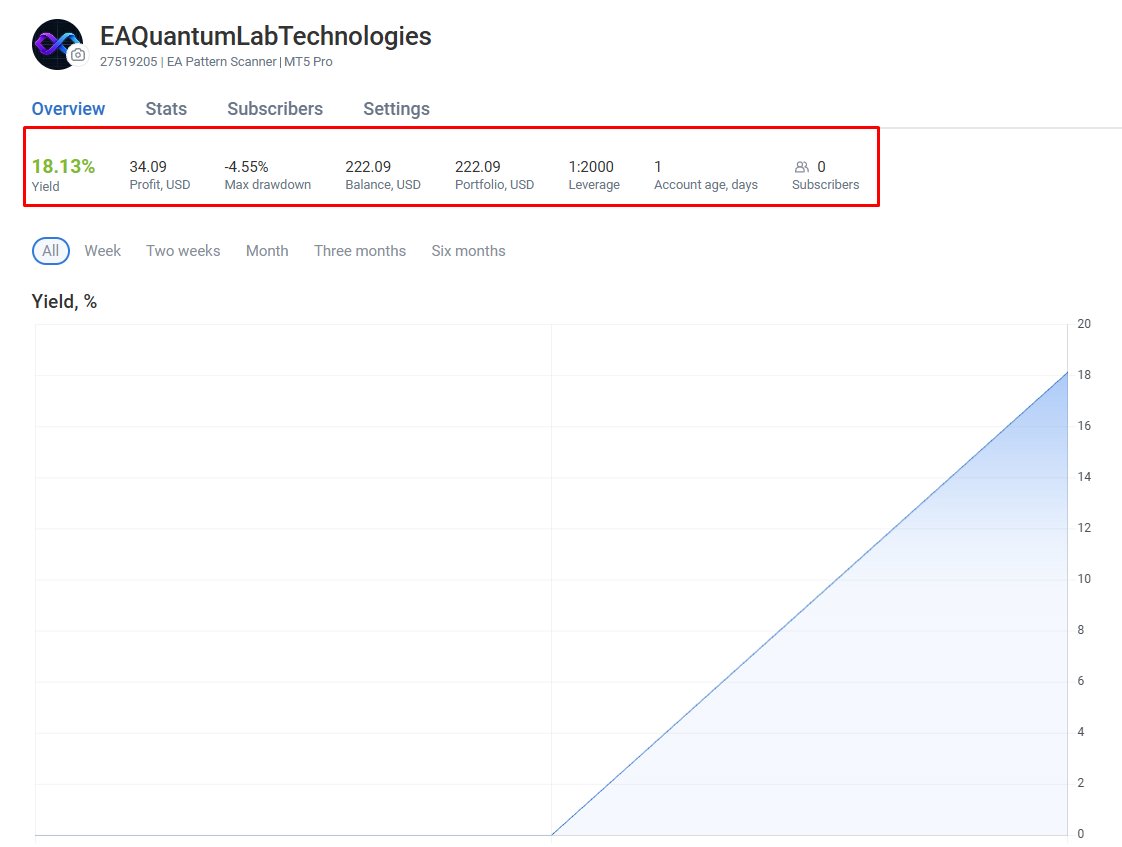
The EA trades a public RoboForex CopyFX account: EA Pattern Scanner | MT5 Pro, #27519205. At the time of writing the account had just started — that is too short to judge the strategy. Check the current figures on the live CopyFX page or on our Copy Trading page.
Who it is for
- Manual traders who want patterns found and measured for them, with clear levels and a track record per timeframe — use the indicator.
- Traders who prefer automation — use the EA, starting on a demo account and with a small fixed lot.
Trading involves risk; past results, including backtests, do not guarantee future returns.
Get AI Pattern Scanner
The product is available on the MQL5 Market. Questions — write to us in Telegram.